Tracking is the most important stage in the Tacty workflow. Many options are exposed to allow you to get good results in various shooting conditions.
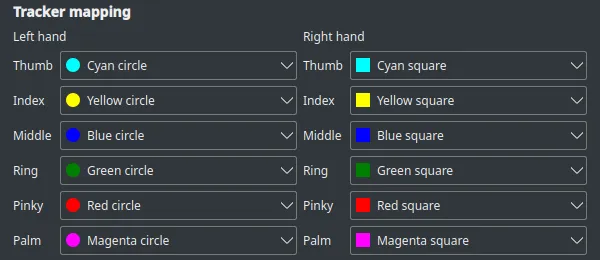
Tracker mapping
Section titled “Tracker mapping”Each finger must be mapped to one of the 12 available stickers. Alternatively you can map a finger to Disable to remove it from the exported data.
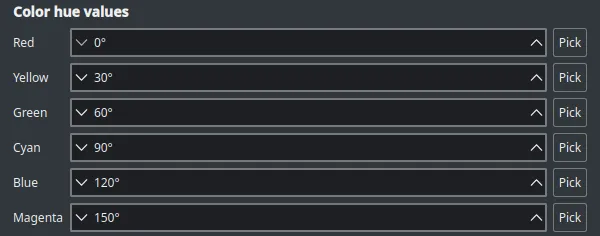
Color hue values
Section titled “Color hue values”Since real-world colors are nearly never the perfect shape, the hue of each color is configurable. By selecting Pick you can also get the right hue interactively by clicking on the sticker.
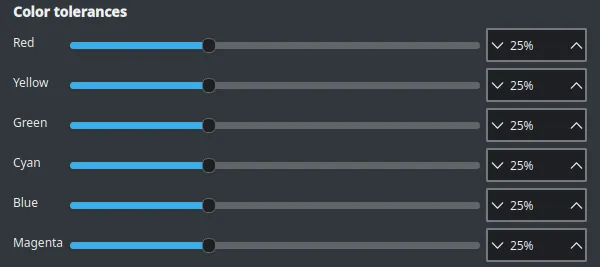
Color tolerances
Section titled “Color tolerances”Tacty always looks for the most intense colors in the scene. If the two stickers in a color pair aren’t quite the same intensity, the tolerance of that color should be increased to properly detect them both.
Shape detection
Section titled “Shape detection”The job of the classifier is to tell squares and circles apart. The Classifier dropdown allows you to chose one of two classifiers:
- Hu Moments: faster, less accurate.
- AI Classifier: better accuracy, slower.
